
28-01-2026
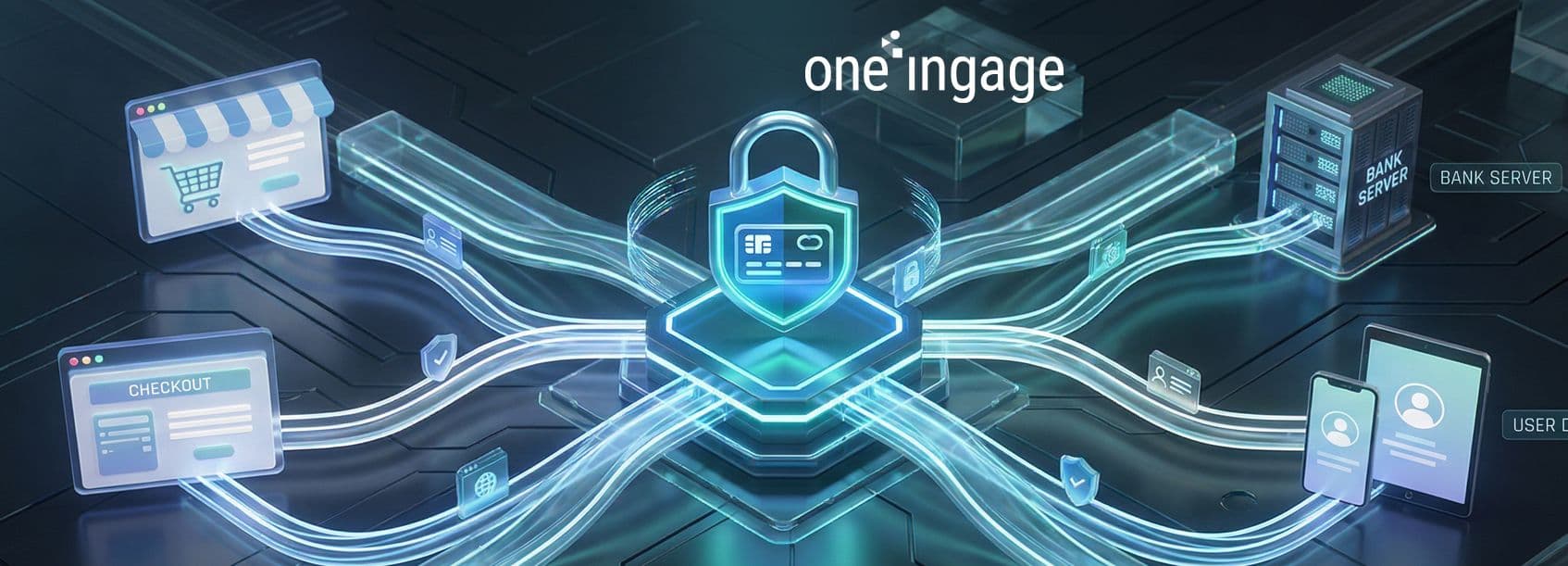


Integrating a payment gateway is one of the most important decisions for any online store, subscription business, or SaaS platform. A well-implemented gateway makes payments feel effortless, protects sensitive data, and supports growth with the right mix of methods, currencies, and automation.
A payment gateway is the bridge between your website or app and the financial institutions that move money. It securely transfers payment details, runs fraud checks, and returns real-time approval or decline responses so your checkout can finish smoothly.
A payment gateway is a service that securely transmits payment data between your checkout, the customer’s bank, and your acquiring bank or payment processor. It supports methods like cards, digital wallets, and sometimes local payment options, allowing you to accept online payments without handling raw card data yourself.
When a customer pays, your site sends encrypted payment details to the gateway, which then forwards them to the processor and card network for authorization. The issuing bank approves or declines the transaction, and the gateway returns the result to your site so you can show success, failure, or retry options.
Payment gateway integration is more than “adding a pay button.” It shapes trust, conversion rates, average order value, and even how easily you can expand into new markets. A thoughtful integration aligns user experience, security, and compliance in a single flow.
A good integration feels fast, intuitive, and predictable, with minimal redirects and form fields. When customers can pay with their preferred methods in a few steps, they abandon less, spend more, and are more likely to return.
Modern gateways embed security controls such as encryption, tokenization, and fraud screening, which reduce the risk of data breaches and chargebacks. They also help merchants meet standards like PCI DSS, limiting the amount of sensitive data your systems handle directly.
Different gateway models affect your technical workload, user experience, and compliance scope. Understanding the main types helps you pick a setup that matches both your risk appetite and development resources.
Hosted gateways redirect customers to the provider’s page, where payments are processed entirely off your servers. Self-hosted or on-site gateways keep the checkout on your domain, often using client-side tokenization to limit the exposure of card data while maintaining more control over design.
Simpler, less PCI scope
More control, more responsibility
Hosted forms embedded via scripts
On-site gateways process payments directly in your checkout with embedded forms or card fields. Off-site and redirect flows send customers to an external page, then return them to a success or failure URL, which can slightly impact trust but simplify integration and compliance.
Seamless UI
Simpler integration
Often used for wallets and local methods
Local gateways specialize in specific regions, banks, and payment methods like local cards or bank transfers. International gateways support many countries, currencies, and global wallets, which is essential if you plan to scale beyond a single market.
Optimized for regional habits
Multi-currency and global reach
Selecting a gateway should be a business decision first and a technical decision second. Compare features, coverage, cost, and compliance demands before checking documentation and SDKs with your developers.
Start with your target customers: how do they prefer to pay, and in which currencies? The gateway should support major cards plus key wallets and local methods where you sell, with transparent FX rules and settlement options.
Gateways typically charge a mix of per-transaction fees, percentage fees, and possibly monthly or setup charges. Look beyond headline pricing and compare costs across average order value, refund rates, and cross-border transactions.
Check that your provider supports PCI DSS and uses strong encryption, tokenization, and modern authentication like 3D Secure where required. Any entity handling cardholder data must follow PCI DSS controls, even when using a gateway.
Not all gateways work in all countries or support every business model. Review country availability, restricted industries, and regulations such as PSD2 in Europe or local licensing rules before committing.
The technical path you choose—API, plugin, or redirect—affects your timeline, flexibility, and required skill set. Many businesses mix methods depending on platform and gateway.
With API integration, your backend communicates directly with the gateway using REST or similar APIs, often combined with client-side tokenization. This approach offers maximum flexibility but requires experienced developers and careful security design.
E-commerce platforms like Shopify and WooCommerce provide ready-made payment apps or plugins that handle most of the heavy lifting. You configure credentials and options in the admin panel, rather than coding low-level payment flows manually.
Redirect and iFrame solutions embed the provider’s hosted form into your flow, either in a new page or within your site layout. They balance simplicity and control, reducing PCI scope while keeping the customer on a familiar domain if configured carefully.
Before writing any code, you should ensure the basics are in place: secure transport, the right accounts, and clarity around how you will handle sensitive data.
Your site must use valid SSL/TLS certificates and HTTPS on every payment-related page. This protects data in transit and is a core expectation of both PCI DSS and modern browsers.
Most gateways require a verified merchant account with KYC documents, banking details, and business information. Having company registrations, bank letters, and policy documents ready speeds up onboarding and review.
Even when using a hosted gateway, you remain responsible for securing any environment that touches payment data. Review the PCI DSS requirements and categorize your integration to understand which controls apply to you.
Although details differ between providers, most integrations follow a similar journey from account setup to live payments.
Create your merchant account, complete identity checks, and configure key settings like supported currencies, payout schedules, and allowed payment methods. Make sure business information is accurate to avoid payout holds later.
Gateways provide separate keys for sandbox and production, often with publishable and secret variants. Store credentials securely, use environment variables, and never hard-code secrets into public repositories.
Design a checkout that asks only for necessary information and clearly displays totals, shipping, and taxes. Keep payment forms focused, mobile-friendly, and aligned with your brand while following the gateway’s UX and security guidelines.
After payment, your system should handle redirects or webhooks to update order status, send emails, and adjust stock. Plan for declined payments, timeouts, and duplicate callbacks so orders never end up in an unclear state.
Testing is not optional; it is how you catch broken flows, edge cases, and subtle bugs before real customers see them.
Most providers offer sandbox environments with test cards and scenarios for success, failure, and fraud. Use them to simulate real flows from checkout to settlement without moving actual money.
Go beyond a single “happy path” payment and check partial approvals, invalid cards, 3D Secure challenges, and canceled redirects. Verify that every scenario updates orders correctly and displays human-friendly messages.
Security should be treated as an ongoing process, not a one-time task during integration. Combine technical controls with monitoring and policies.
Use gateway tokenization so card numbers never touch your backend, and enforce strong encryption for any sensitive data in transit. This significantly reduces your PCI scope and lowers the impact if a server is compromised.
Take advantage of built-in risk tools like AVS, CVV checks, velocity rules, and machine-learning fraud filters. Combine them with manual review rules for high-value or high-risk orders.
Log technical details for developers but never write full card numbers, CVV, or sensitive authentication data to logs. Show generic error messages to users and expose detailed traces only in secure internal systems.
Most merchants rely on established platforms rather than building entire commerce stacks from scratch. Gateways integrate differently depending on your stack.
Shopify offers its own solution, Shopify Payments, plus a catalog of third-party gateways by country and currency. You activate providers from the admin, configure credentials, and optionally use test mode to validate the flow before going live.
WooCommerce uses plugins to add gateways, including WooPayments and dozens of third-party options. You install and configure plugins from WordPress, set API keys and webhooks, and then test how they behave in the WooCommerce checkout blocks.
For headless or fully custom sites, payments are usually handled via API integrations and JavaScript SDKs. You design your own checkout UI, connect to the gateway via APIs or serverless functions, and integrate webhooks with your order system.
Once your gateway works, the next step is optimization. Small UX improvements can produce big gains in conversion and revenue.
Keep checkout focused, with as few steps and fields as possible, and avoid forcing account creation before payment. Use inline validation so customers see errors immediately rather than after submitting the whole form.
Most customers now browse and buy on mobile, so forms must be thumb-friendly with numeric keypads for card fields. Consider offering one-click or saved-payment options where allowed, using tokens instead of storing raw card data.
Show prices in local currency and translate checkout labels and error messages for key markets. Present familiar local methods first so customers trust the flow and don’t feel they’re paying abroad.
After integration, day-to-day operations become as important as the initial setup. Teams need clear processes for handling refunds, disputes, and reporting.
Your team should know how to process full and partial refunds from both the gateway dashboard and your e-commerce backend. Define a clear policy and response process for chargebacks to reduce losses and maintain a good standing with payment providers.
Use gateway reports to reconcile captured payments, fees, and payouts with your accounting system. Regular reconciliation helps you catch failed payouts, duplicate charges, and misapplied fees early.
A payment gateway securely collects and forwards payment data from your site to the processor. The processor communicates with card networks and banks, actually moving the money and settling funds into your account.
Simple plugin-based integrations can be completed in a few hours once your merchant account is approved. Custom API-based or headless setups can take days or weeks, especially when you include testing and security reviews.
Yes, any organization that stores, processes, or transmits cardholder data falls under PCI DSS, including gateways and merchants. Hosted solutions reduce your scope but do not remove your responsibility to secure your environment and follow basic controls.
The best gateway is the one that supports your target countries, currencies, and payment habits with reliable performance and fair fees. Many merchants use global providers plus regional gateways to cover local wallets and bank methods in key markets.
Yes, many stores integrate more than one gateway to improve redundancy, acceptance rates, and coverage of local methods. Just keep the checkout experience simple by presenting clear options and routing traffic intelligently in the backend.